Build a cloud foundation your team can operate.
Design, migrate and manage business workloads on Azure with attention to access, networking, backup, monitoring and operating cost.
Organizations moving business applications to the cloud or improving an existing Azure estate.

 Microsoft partnership
Connect with Arselor on Microsoft Marketplace.
Explore Arselor’s Microsoft partner profile and connect with our team about Microsoft 365, Azure and security services.
How Microsoft Azure works
Watch Microsoft explain how Azure works, then explore the portal and monitoring tools.
Azure resources, workload monitoring and recovery.
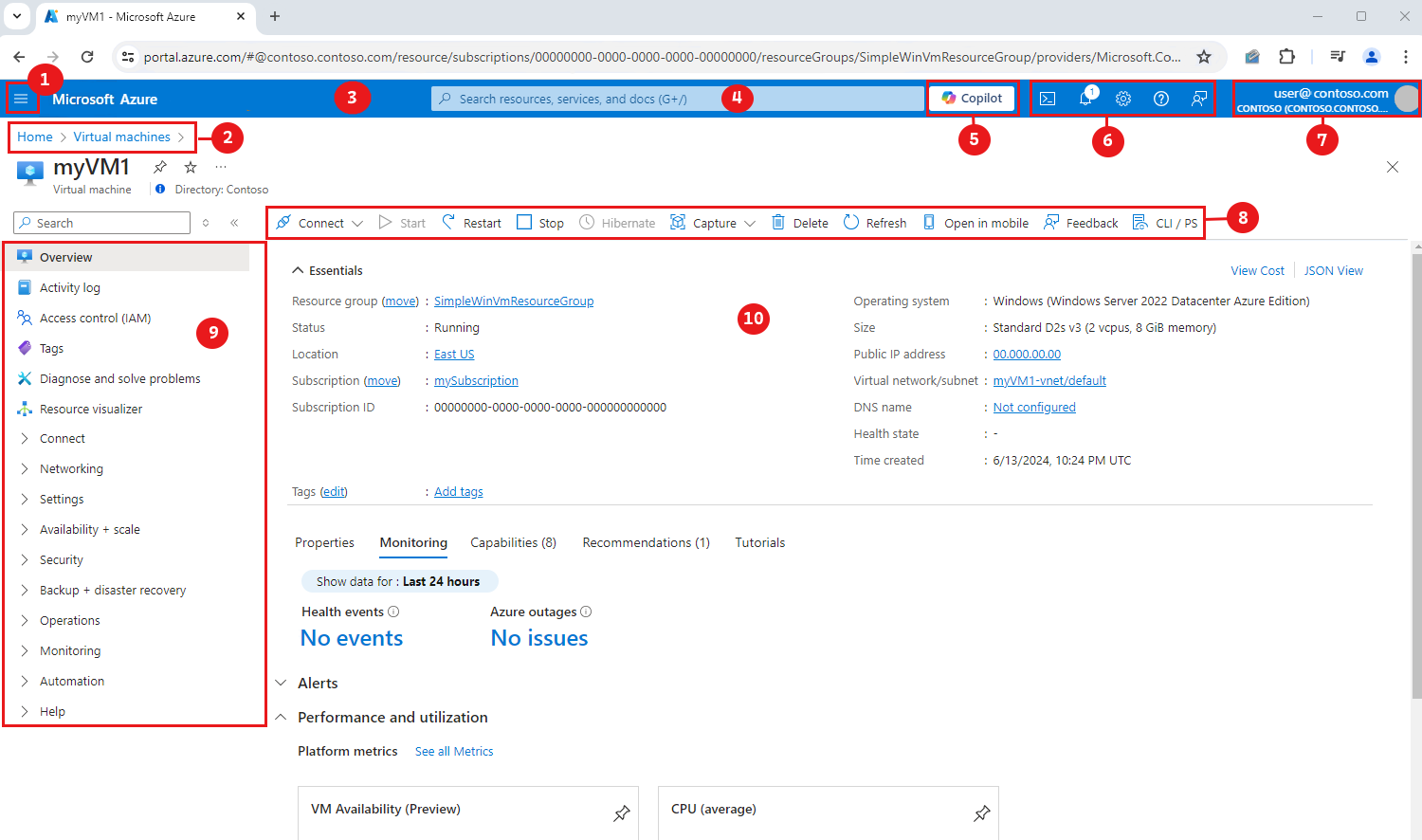
Microsoft Azure portal
Manage cloud resources with a shared view of the environment. Arselor connects resource organization, access, workload configuration and operational ownership in the deployment plan.

Understand the health of your workloads
Azure monitoring brings resource signals into a view your operations team can investigate. Arselor configures the agreed monitoring and alerting, helping connect performance questions to the resources and application components that need attention.
- Resource health and performance
- Alerts with named recipients
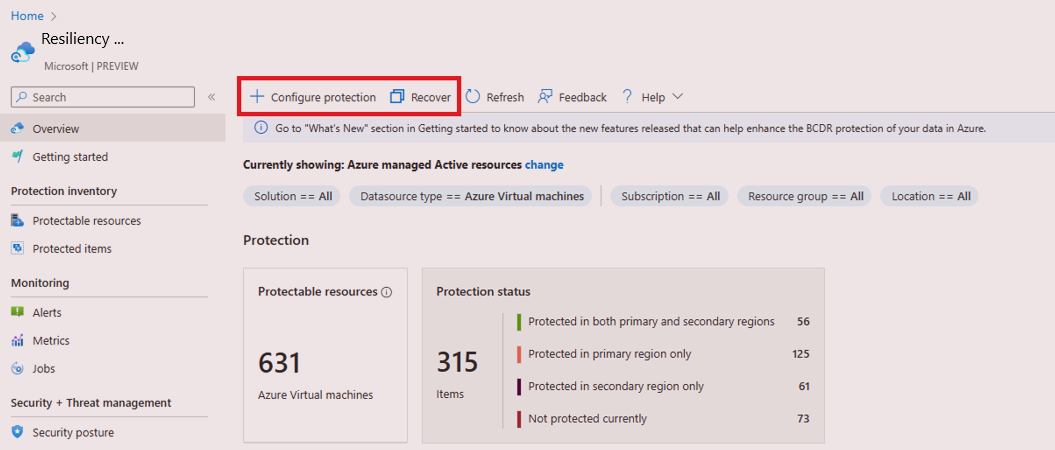
Azure backup & recovery
Choose cloud storage and recovery services to match the workload. Capacity, access, retention and recovery expectations are considered alongside the application design.
Understand what it can do for you.
Build a cloud foundation
Plan subscriptions, resource organization, identity and network access before deploying workloads. Your environment starts with defined ownership and operating boundaries.
Choose resources for the workload
Match compute, storage and connectivity to your application needs. We review dependencies and migration options rather than moving every system in the same way.
Keep operations and cost visible
Bring monitoring, backup planning and cost review into the design. The Azure portal gives teams a shared place to manage resources and review the environment.
Choose a situation. Explore the possibilities.
Application migration
Assess application dependencies and choose a staged move with validation and recovery planning.
Discuss this use case- 01Identity
- 02Network
- 03Workloads
- 04Monitoring
A hybrid environment
Connect selected cloud workloads with existing office or datacenter systems.
Discuss this use case- 01Identity
- 02Network
- 03Workloads
- 04Monitoring
Improving cloud operations
Review resource ownership, unused capacity and monitoring coverage to prioritize improvements.
Discuss this use case- 01Identity
- 02Network
- 03Workloads
- 04Monitoring
From the first requirement to the final handover.
Workload and dependency assessment
Architecture and cost planning
Identity and network foundation
Workload migration and validation
Backup and monitoring configuration
Operations documentation and support
Build the Azure foundation around the application.
Assess the workload
Map application dependencies, performance needs, connectivity and cost assumptions before choosing the Azure architecture.
Deploy the cloud foundation
Configure the agreed resource organization, network, administrative access and workload services.
Validate operation and cost
Check application access, monitoring, backup settings and operational ownership, then review consumption with the customer.
Before you decide
Should every server move to Azure?
No. We evaluate workload dependencies, operating needs and cost before recommending cloud, on-premises or hybrid placement.
Is Azure consumption included in implementation?
Implementation, Azure consumption, licenses and ongoing management are identified separately in the agreed commercial scope.
Build the rest of the picture.
 Microsoft
Azure

Microsoft 365 & Azure
Licensing, deployment, email migration, collaboration and security configuration across Microsoft 365 and Azure.
A productive team starts with a well-managed cloud.
- A connected digital workplace
- Identity and access with ownership
- Cloud that supports the business
Standardize email, meetings and document sharing as employees and locations increase.


Managed hosting & web services
Managed websites, application hosting, VPS and dedicated servers, with monitoring, updates, backups and local support.
Keep your applications available and your infrastructure cared for.
- A home for your business systems
- Manage the essentials
- Plan beyond deployment
Connect your domain, hosting and certificate so the site has a clear operating owner.

Microsoft 365 security hardening
Review your Microsoft 365 tenant, prioritize configuration gaps and apply practical identity, email and device safeguards within your available licensing.
Strengthen the identities and email your business depends on.
- Protect access to business accounts
- Bring devices into the security plan
- Reduce exposure in email and data
Review the tenant and introduce prioritized controls with a managed rollout plan.
Bring us the challenge. Let’s plan the way forward.
A focused conversation with the right Arselor specialist.