Bring your business devices under consistent protection.
Deploy and manage endpoint security with Kaspersky or WithSecure, matched to device types, operating needs and available IT capacity.
Organizations with unmanaged devices, expiring licenses or inconsistent security policies.

 Kaspersky partnership
Kaspersky MSP B2B Partner
Source your Kaspersky business software and services through Arselor, an authorized Kaspersky partner in Saudi Arabia.
Partner PIN AR16SA00 · Certificate valid until
Explore endpoint protection in practice
Follow Kaspersky’s Endpoint Security Cloud walkthrough, then explore the endpoint-management screens below.
Kaspersky protection policies, EDR and device control.
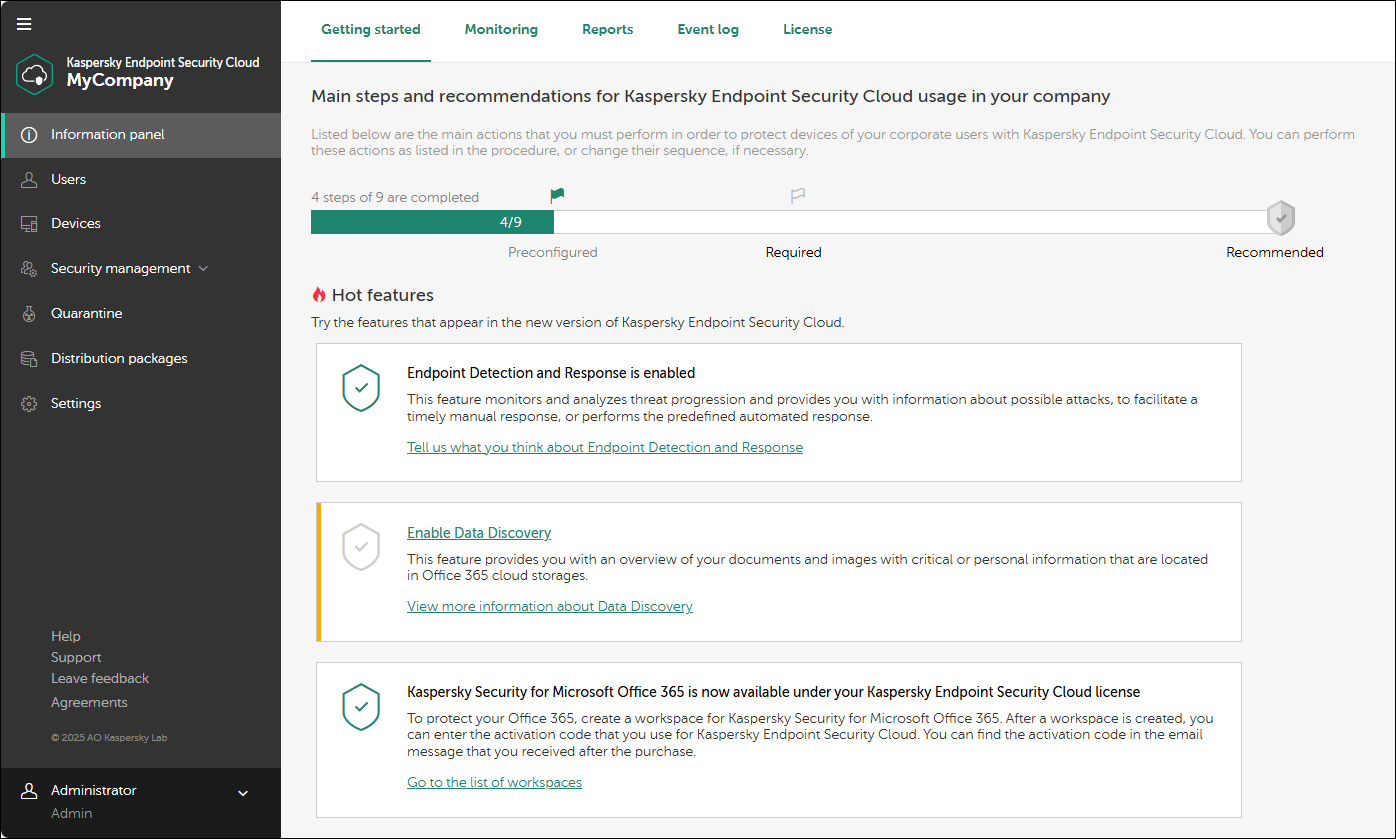
Kaspersky endpoint protection
Review protection from a central management interface. Device groups, policies and update settings help the team keep coverage organized and identify exceptions.
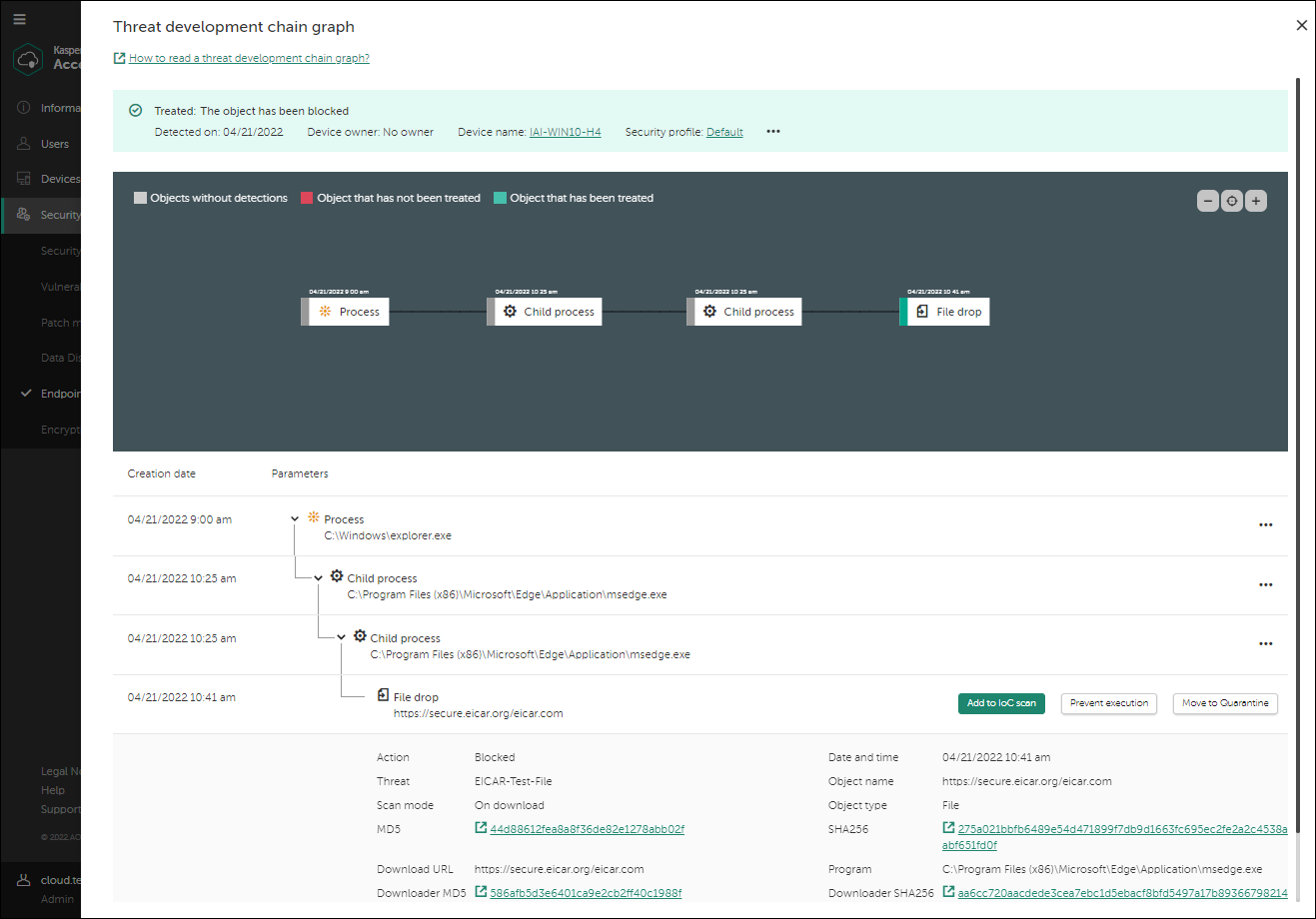
Kaspersky EDR investigation
Review the development chain of a detected threat and its related events. These investigation capabilities are available with the applicable EDR offering; the product and response scope are agreed separately.
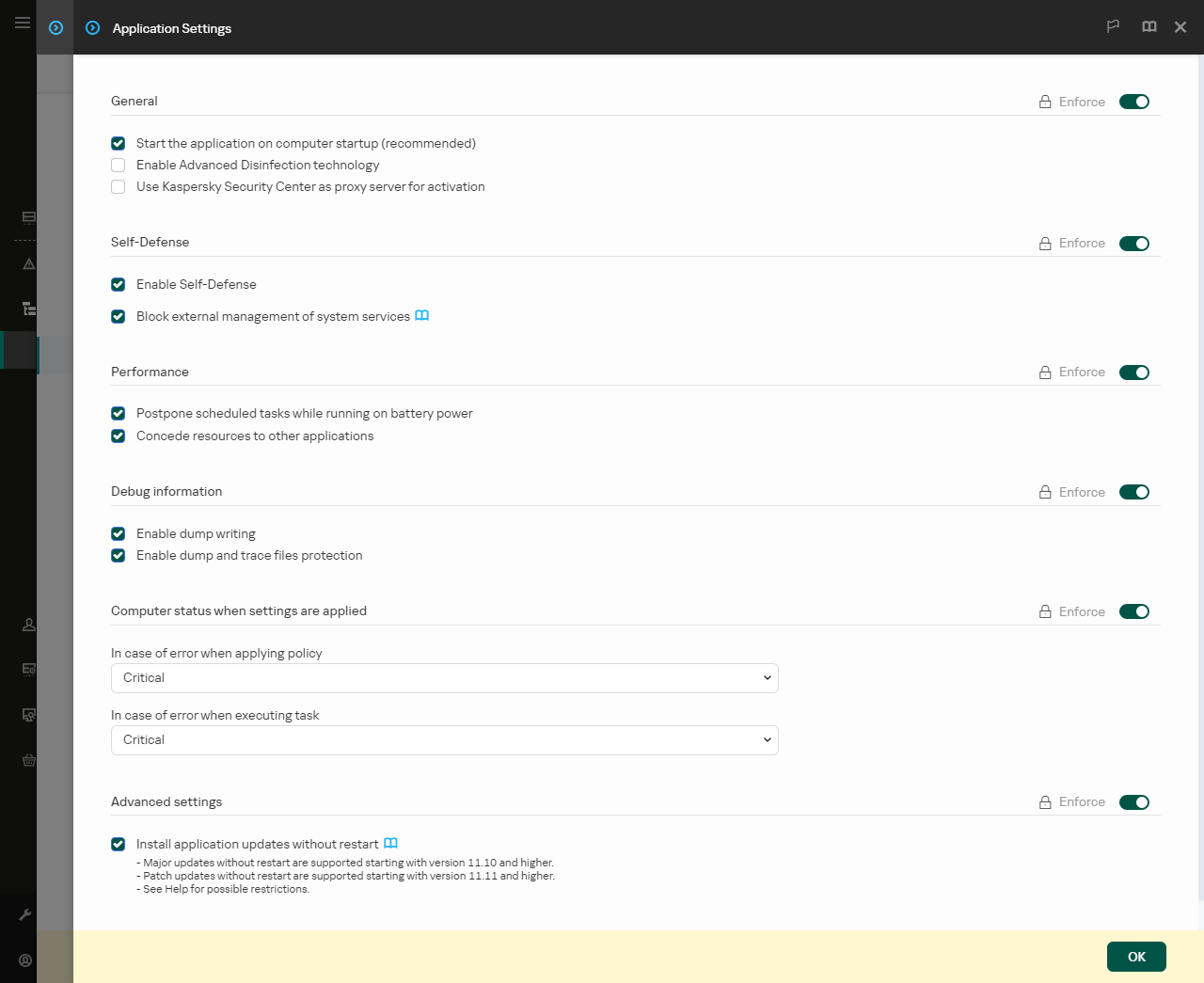
Define how protection is managed
Kaspersky Endpoint Security policies include controls for application self-defense and service management. Arselor aligns the agreed settings with your administration model, tests the rollout and documents exceptions for the selected product edition.
- Central policy configuration
- Controlled rollout and exceptions
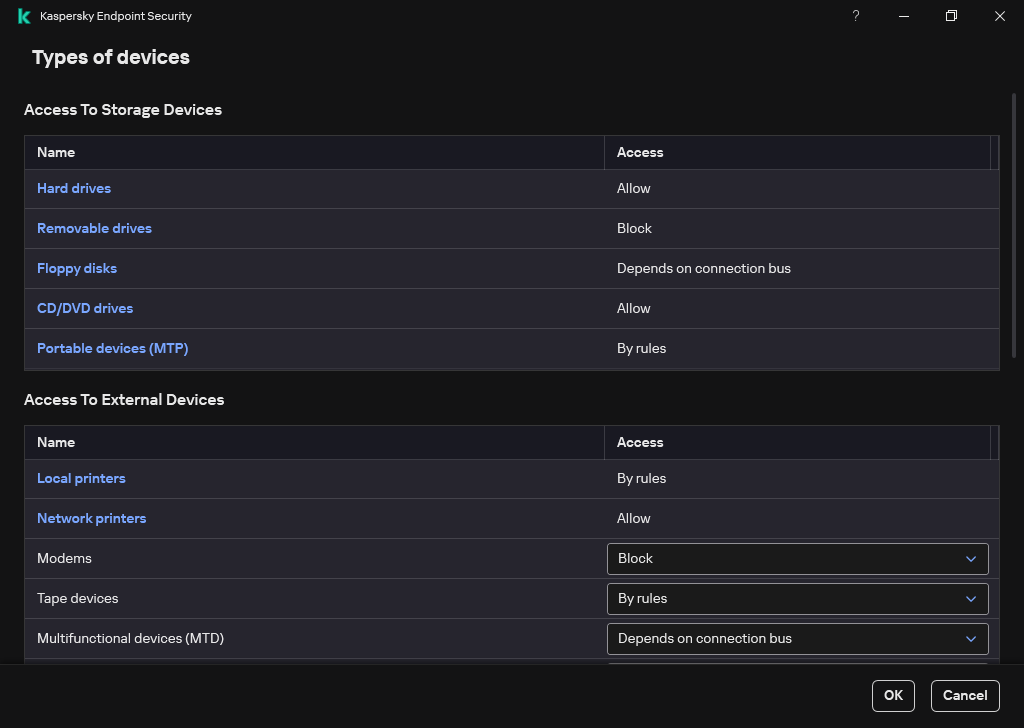
Control removable-device access
Device Control can allow or block device types and apply user-specific permissions or schedules. We help define the business exceptions and access rules, then validate the effect on everyday work before broad deployment.
- Device-type and user rules
- Read, write and schedule controls
Understand what it can do for you.
Protect business endpoints
Plan protection for supported employee devices and servers. Select the appropriate Kaspersky product and license based on operating systems, coverage and management needs.
Manage policies centrally
Organize device groups, policies and update settings through the selected management console. Visibility helps the team identify devices that need attention.
Define the response workflow
Agree how alerts are reviewed and who handles affected devices. Detection, investigation and response features depend on the selected product tier and subscription.
Choose a situation. Explore the possibilities.
A new protection rollout
Pilot policies on representative devices before a wider rollout across the business.
Discuss this use case- 01Enroll devices
- 02Apply policies
- 03Review alerts
- 04Respond
Consolidating endpoint tools
Review current coverage and plan an orderly transition from existing protection software.
Discuss this use case- 01Enroll devices
- 02Apply policies
- 03Review alerts
- 04Respond
Improving device visibility
Group devices and review protection status so ownership and required actions are clear.
Discuss this use case- 01Enroll devices
- 02Apply policies
- 03Review alerts
- 04Respond
From the first requirement to the final handover.
Device inventory and compatibility review
License and protection platform selection
Central console and agent deployment
Security policy and exception tuning
Protection verification and alert review
Reporting and operational handover
Roll out endpoint protection with visible coverage.
Inventory and select protection
Review operating systems, existing agents and required capabilities before confirming the product and licensing.
Deploy and tune policies
Prepare the management console, onboard devices and test policy exceptions against business applications.
Verify coverage and response
Check agent health and alerts, then document the people responsible for investigation and remediation.
Before you decide
Is EDR included with every endpoint license?
No. Investigation and response features depend on the selected product tier and license. We confirm the required scope before purchase.
Can the new agent replace our existing antivirus?
We plan removal, compatibility checks and pilot deployment to avoid conflicting agents and gaps in protection.
Build the rest of the picture.
 CCC / CCC+
Aramco CCC / CCC+ readiness
A structured readiness service for Aramco suppliers: assess cybersecurity gaps, implement the agreed controls and prepare your evidence for independent audit.
Prepare your business for CCC / CCC+.
- Understand your readiness gap
- Implement and document controls
- Prepare for review and renewal
Build a readiness plan from the systems, people and requirements that apply to your organization.


Acronis backup & cyber protection
Protect servers, endpoints, cloud workloads and Microsoft 365 data with monitored backups and planned recovery testing.
A backup is only useful when you can recover.
- Protect the workloads that matter
- Know whether backups are healthy
- Turn backups into a recovery plan
Recover the required data from an appropriate restore point, following the agreed retention policy.

Sophos firewall solutions
Sophos XGS sizing, deployment, migration and ongoing management, with policies matched to your business network.
Protect the connections your business relies on.
- Control traffic with purpose
- Connect teams and branches
- Keep protection manageable
Review rules and VPN dependencies, then plan a controlled migration and connection checks.
Bring us the challenge. Let’s plan the way forward.
A focused conversation with the right Arselor specialist.